Designing clinical and field tools that hold up in regulated, real-world use.
I design for clinicians, operators, and expert users in healthcare and defense, and I test that work directly with them. My projects range from bedside device onboarding to live soldier vitals monitoring.
- Clinician AppLifeLens · mobile · usability researchObservation study found a self-application problem and led to a new device applicator
- ASCENTLifeLens · military · command UIAn enterprise-grade, cloud-compatible software ecosystem designed to transform high-density raw biometrics into predictive, actionable health readiness analytics.
- Fleet ManagementLifeLens · internal systems~10,000 devices tracked in one system to plan study readiness
- SPOptimizerEVERSANA · research toolMonths of iterative testing turned keyword search into filtered, match-scored results
- AccessExpressEVERSANA · self-service platformSelf-service market research with insights back in hours
- INTELLICenterEVERSANA · customer portalCustomers see purchases and renewals without calling an expert
Selected work
Clinician App
LifeLens · mobile · usability researchThe problem
There was no clean, guided workflow for onboarding a patient with a specific device, a specific study, and confirming the application was a success.
Designing the onboarding flow
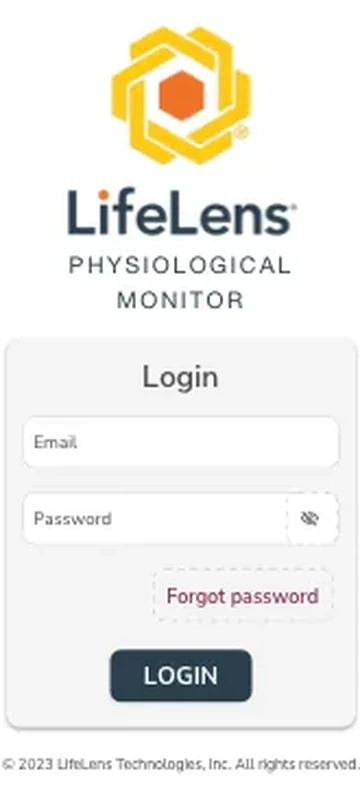
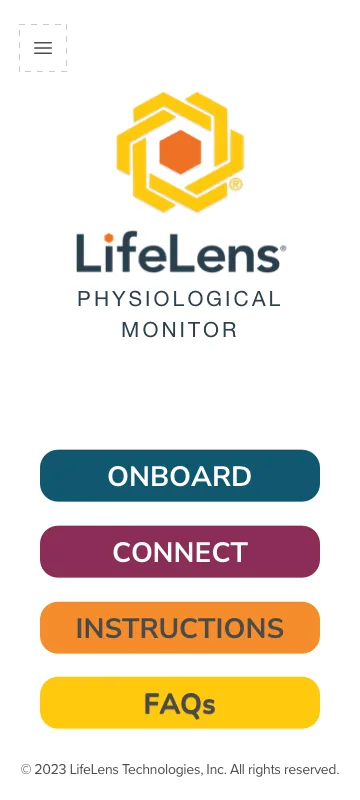
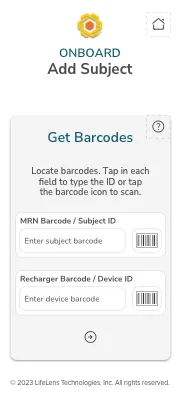
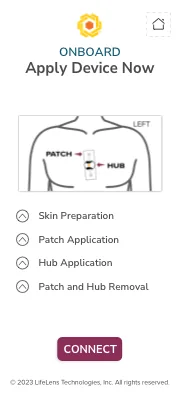
I designed the mobile app clinicians use to apply and confirm the device: scanning barcodes to match subject and device IDs, stepping through skin preparation and patch/hub application, confirming a live ECG signal before proceeding, and assigning the study type and primary indication to activate recording. A parallel Connect flow lets clinicians reconfirm a device is applied and recording correctly after the initial setup, and built-in Instructions and FAQ screens give clinicians a reference without leaving the app.
Validating it with clinicians
I designed and ran a usability study that paired direct observation with a post-use survey. I watched clinicians apply the device during actual use, and watched patients apply it themselves using the provided instructions. Observation showed where people hesitated or improvised in the moment, which the survey alone would have missed.
Interface
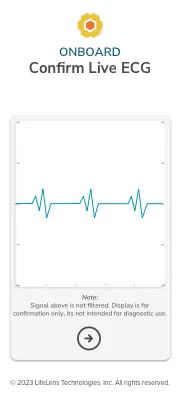
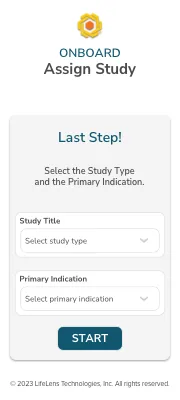
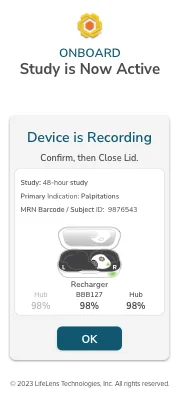
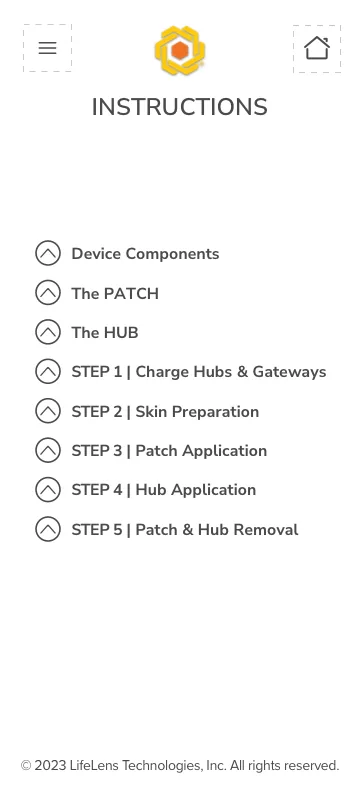
Outcome
The study tested both the app and the physical process of applying the device. The app performed well. The bigger finding was physical: some users lacked the dexterity to place the device accurately on themselves. That finding led the company to develop an applicator that helps users self-apply the device correctly.
ASCENT
LifeLens · military · command UIThe problem
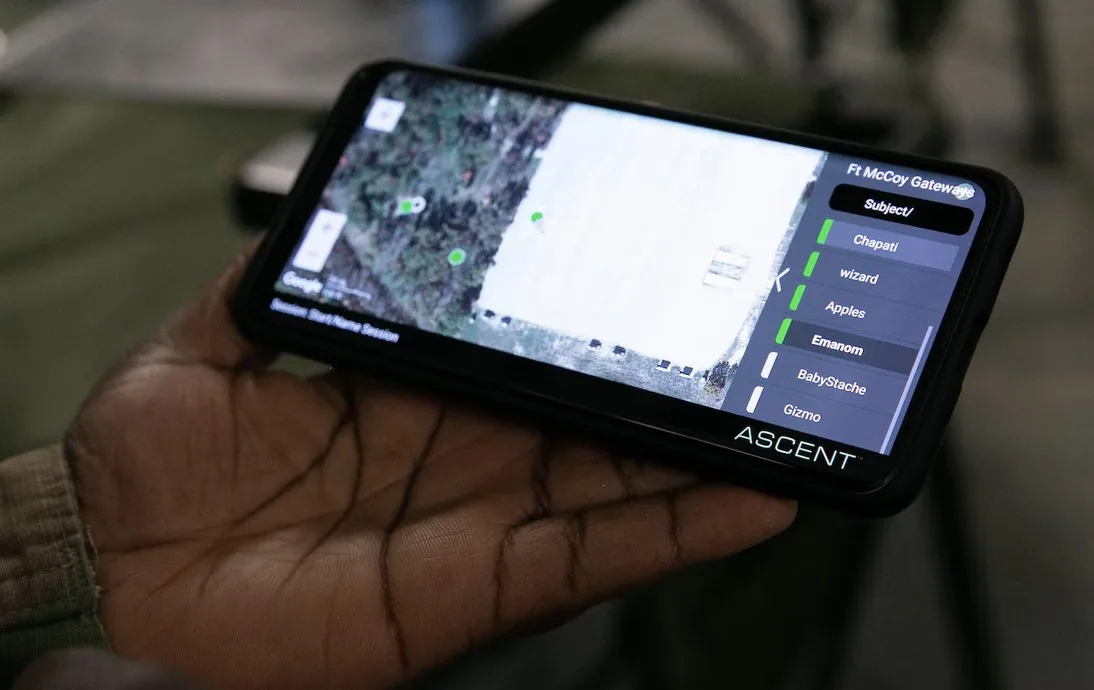
The problem was urgent: soldiers were suffering from extreme heat exhaustion in the field, and unit leaders had no real-time way to see it coming. The ASCENT Platform gives leaders live visibility into each soldier's physiological status for safety, triage, and strategic decisions.
A command-level view, in the field
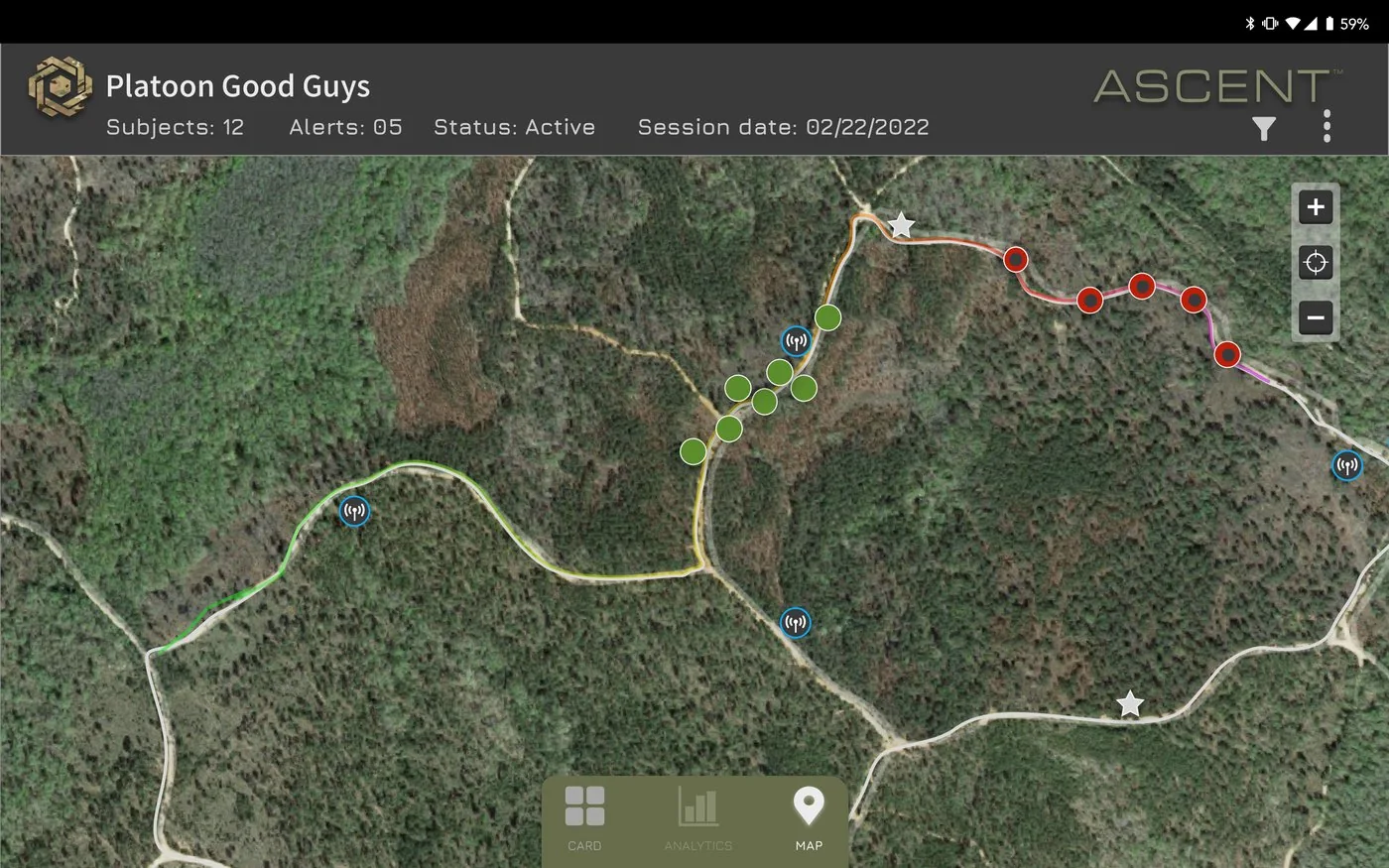
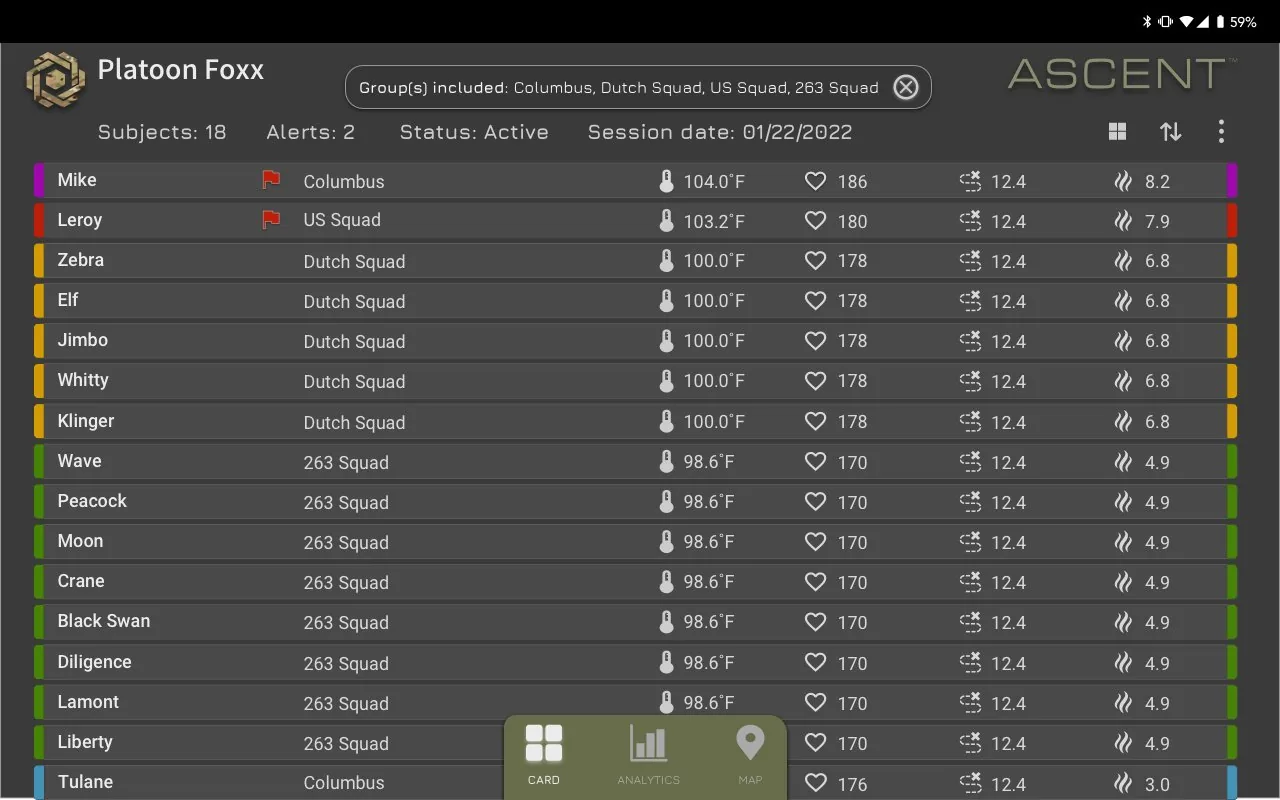
I designed the command-level interface. A live map view tracks unit position and movement with color-coded alert markers. A list view shows each soldier's body temperature, heart rate, respiration, and other vitals, color-coded by severity so a leader can spot a soldier in distress at a glance.
Context
The platform later expanded to pair the physiological chest sensor with third-party environmental sensors for chemical and gas detection, under the Joint Program Executive Office for CBRN Defense. In 2021 it went through operational testing at the Army Expeditionary Warrior Experiment (AEWE) at Fort Moore, formerly Fort Benning.
Interface
Outcome
- The platform has been heavily funded and vetted by the U.S. Army Medical Materiel Development Activity (USAMMDA) and the Medical Technology Enterprise Consortium (MTEC) for the Health Readiness and Performance System (HRAPS).
- During its formal debut at the Army Expeditionary Warrior Experiment (AEWE), the platform captured 48 soldier-missions with zero field failures.
- The platform has been stress-tested across more than 40 military fielding events since 2021. This includes deployments in simulated large-scale combat operations to validate sensor-assisted triage, treatment, and tracking.
- The platform successfully utilizes an open architecture that natively pushes live analytics directly to common military network software, including the Android Tactical Assault Kit (ATAK), WinTAK, and BATDOK (Battlefield Assisted Trauma Distributed Observation Kit).
Fleet Management
LifeLens · internal systemsThe problem
LifeLens ran physiological monitoring devices across live military testing and clinical studies simultaneously, but there was no reliable way to know how much usable product was available at any moment. Roughly 10,000 devices, including Hubs, Hardened Gateways, and related hardware, were spread across programs, each running different firmware versions and configurations, with no central system tracking where they physically were or what state they were in.
Designing for a system, not a screen
This was a data-model and systems problem before it was a screen problem. I worked closely with Manufacturing & Operations and Engineering to design a tool that tracked each device's physical location, version number, and configuration settings in one place, then connected that inventory to the manufacturing pipeline so the team could see what existed today and what would become available, and when.
Devices were upgraded continually, and some units were recalled and replaced as new versions rolled out. The system showed which devices were current, which were pending replacement, and how that affected what could be deployed to a new study.
How the system fit together
Illustrative diagram of the system structure. Original screens are no longer available.
Outcome
~10,000
devices tracked across military testing and clinical studies
With availability, version status, and manufacturing timelines in one system, the team could project when enough compliant, up-to-date devices would be ready for a new study. A scattered manual effort became a planning tool the business could schedule around.
SPOptimizer
EVERSANA · research toolThe problem
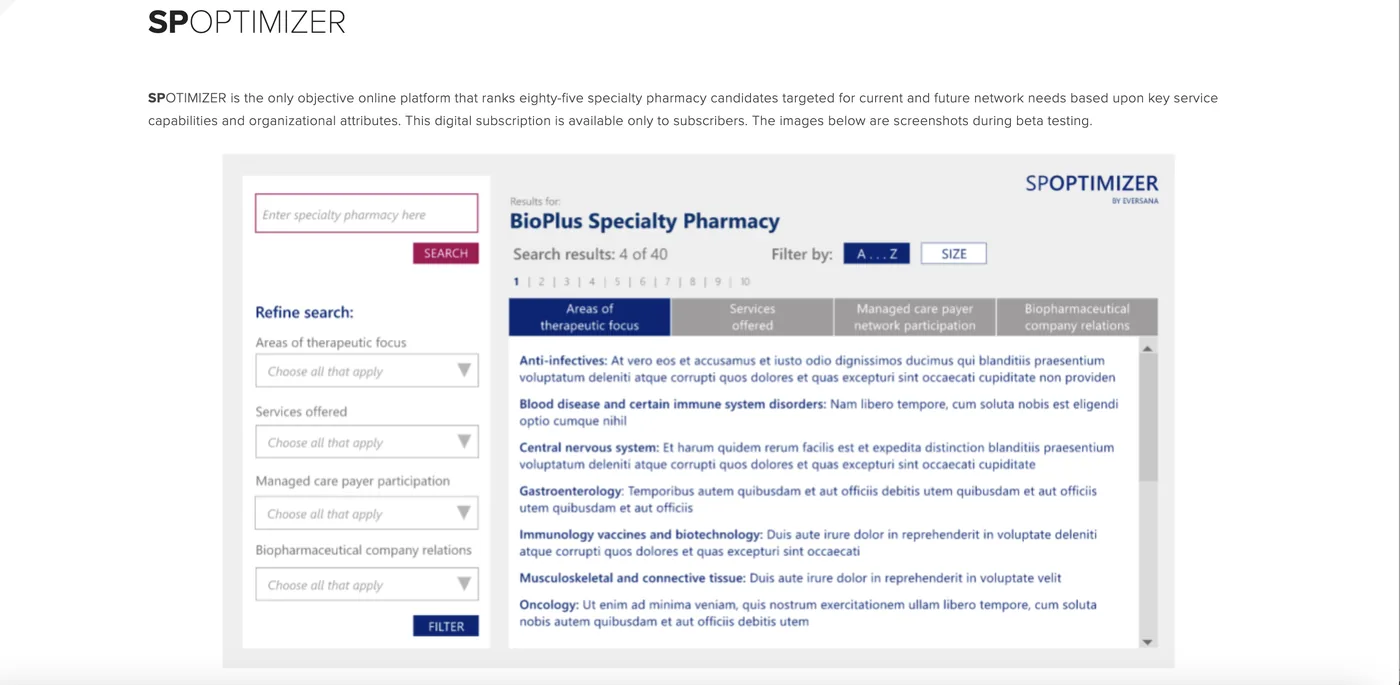
Pharma companies choosing specialty pharmacy partners for their networks had no objective way to compare candidates. SPOptimizer set out to be that platform — an online tool ranking eighty-five specialty pharmacy candidates against the service capabilities and organizational attributes that actually matter for network fit, available exclusively to subscribers.
Designing with the people who'd use it daily
I designed the UI/UX in Adobe XD, working closely with the Specialty Pharmacy Directors and Research Analysts who would rely on this tool to make real network decisions. Rather than one round of testing before launch, we ran an ongoing feedback loop over several months — watching how Directors and Analysts actually searched, filtered, and compared candidates, then making incremental changes as friction turned up.
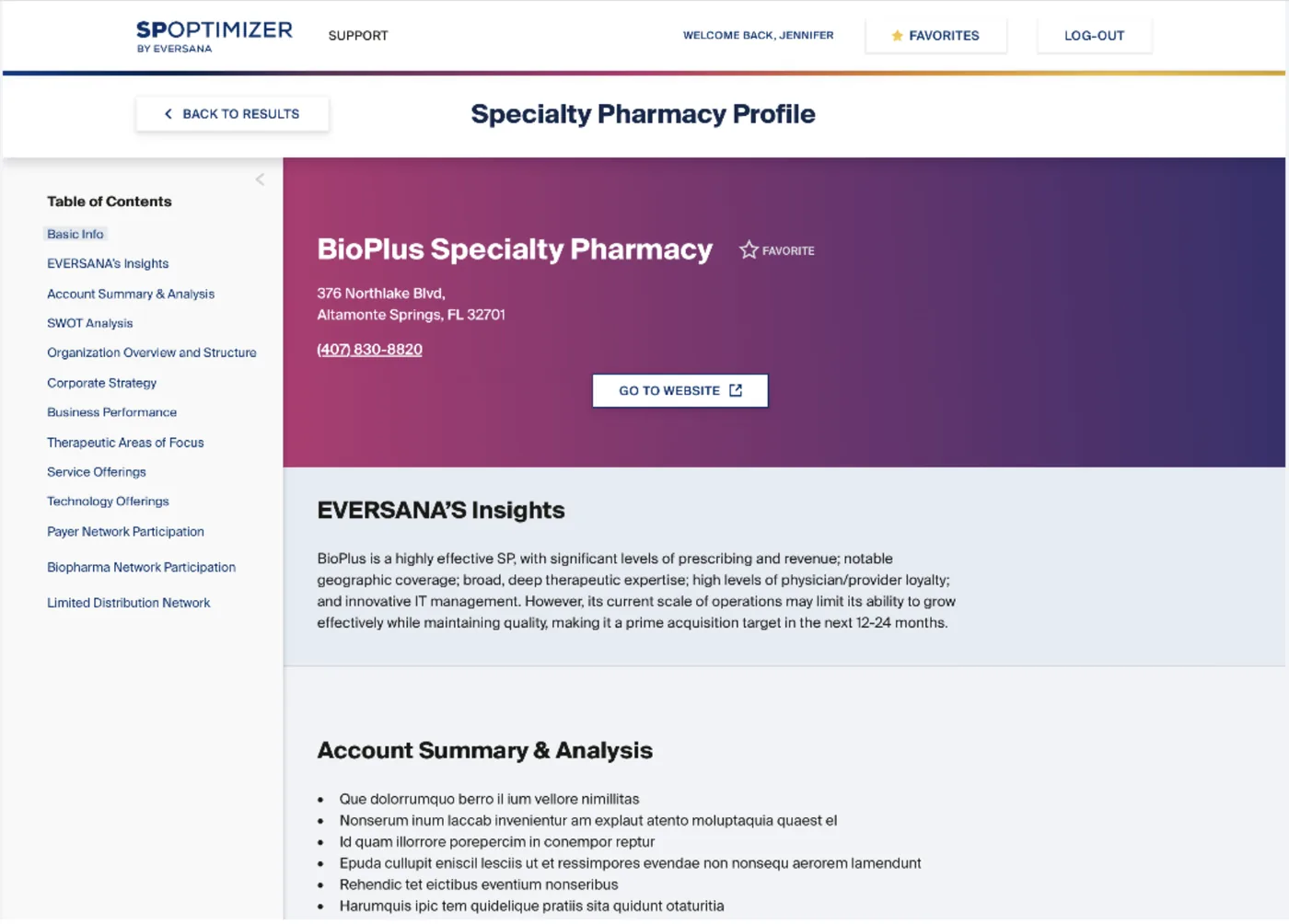
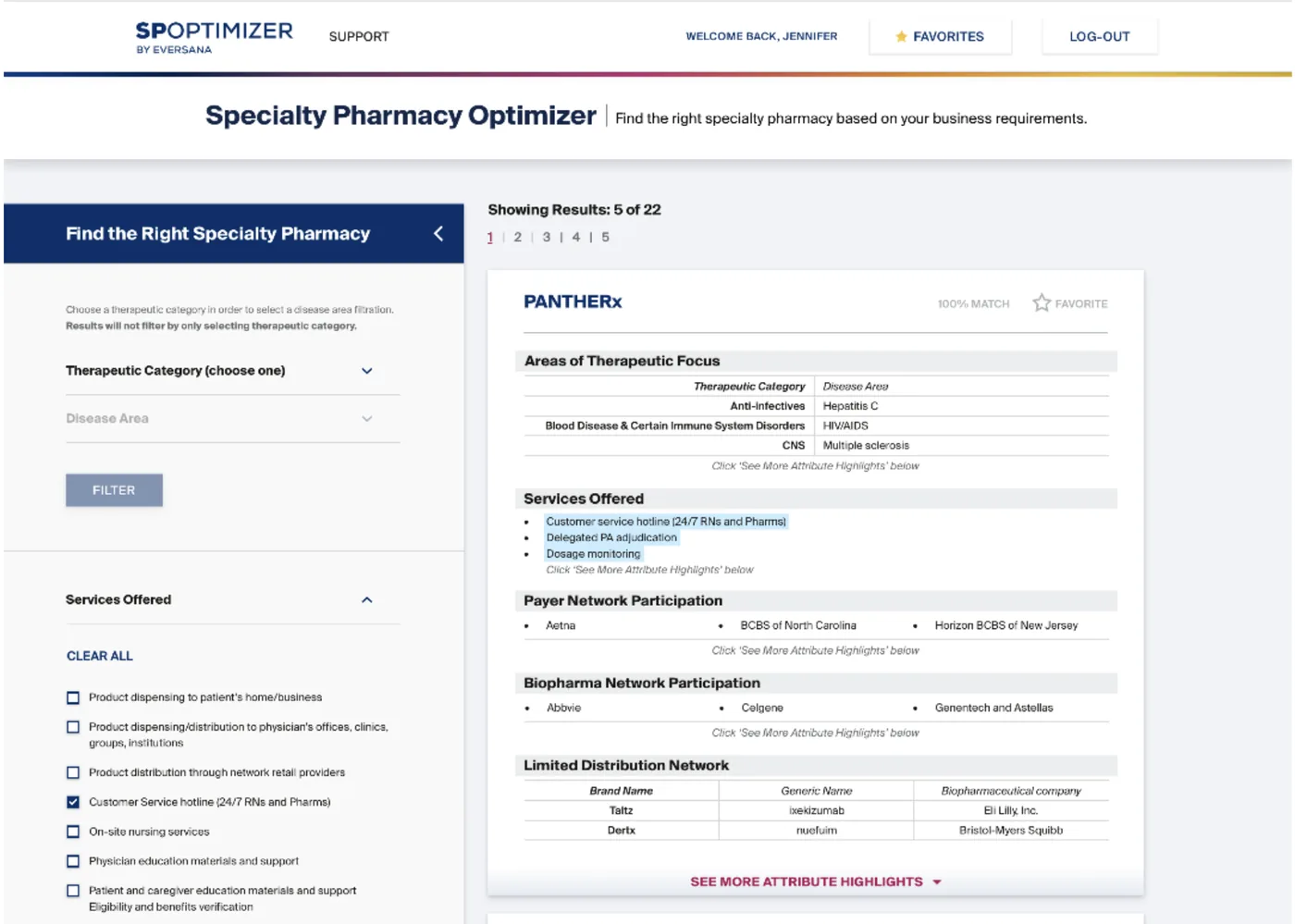
Early on, that meant a basic keyword search returning a flat list. As testing surfaced how people actually wanted to evaluate a candidate — by therapeutic focus, services offered, payer network participation, biopharma relationships — the product evolved toward structured filtering, match scoring, and a deeper per-pharmacy profile built around those same categories.
From early beta to a working research tool
Outcome
The months of testing shaped a tool that moved from a generic search experience to one built around how Specialty Pharmacy Directors and Research Analysts actually evaluate a candidate — filterable by therapeutic category, services offered, and network participation, with a match score against the criteria that mattered most.
In 2021, the SPOptimizer platform tracked and ranked over 85 specialty pharmacy candidates. The Institutional Coverage included in-depth profiling for more than 50 IDN-owned and institutional specialty pharmacies.
AccessExpress
EVERSANA · self-service platformThe problem
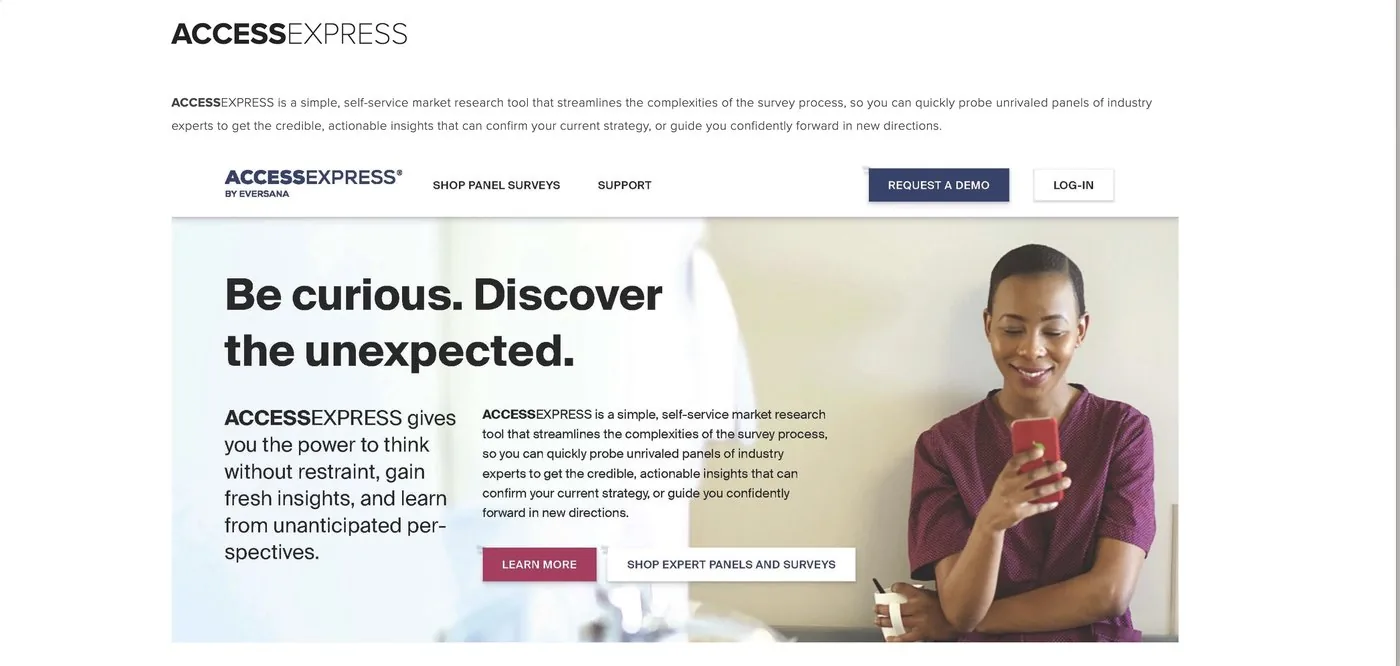
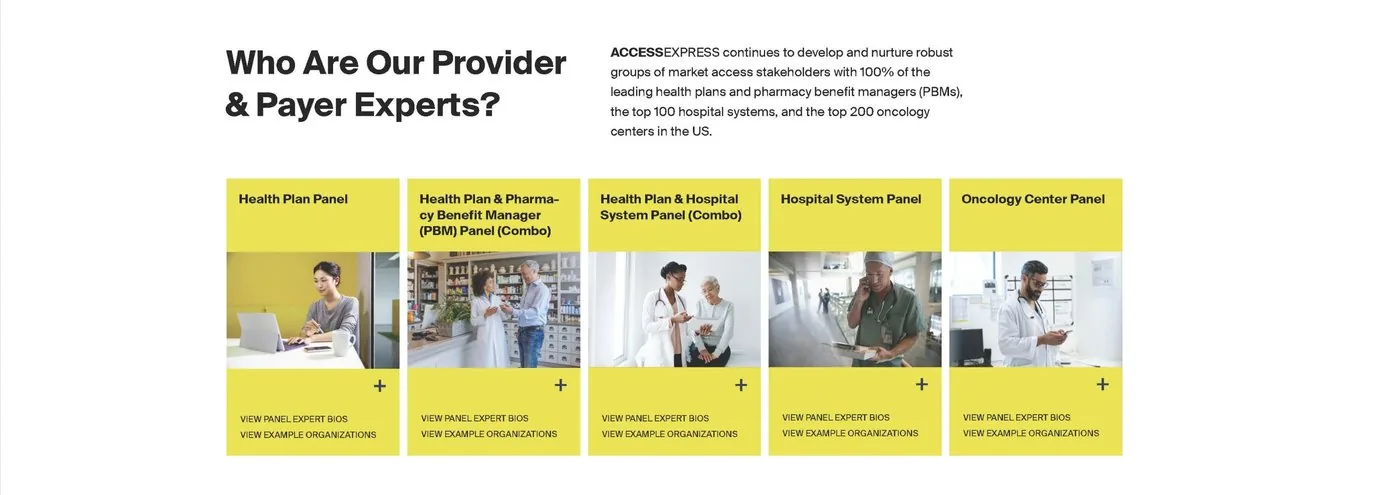
Pharmaceutical and life sciences market access teams needed fast, credible reimbursement and policy insight from hard-to-reach medical and pharmacy payer experts, but running a traditional market research survey was slow and complex, with no self-service way to get that insight back quickly.
Designing the self-service flow
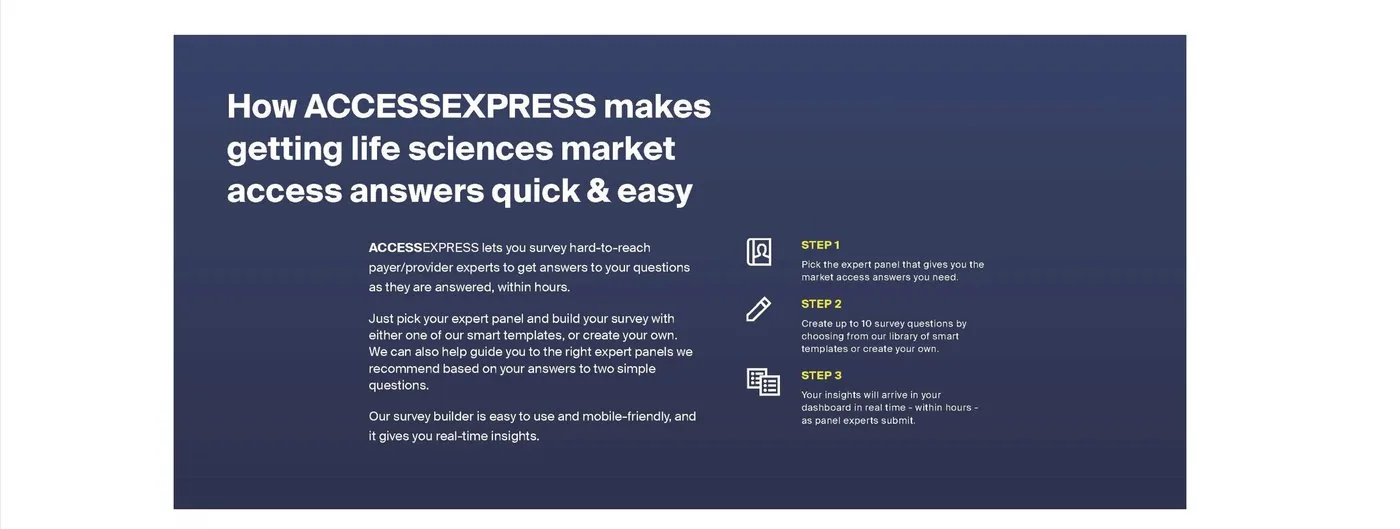
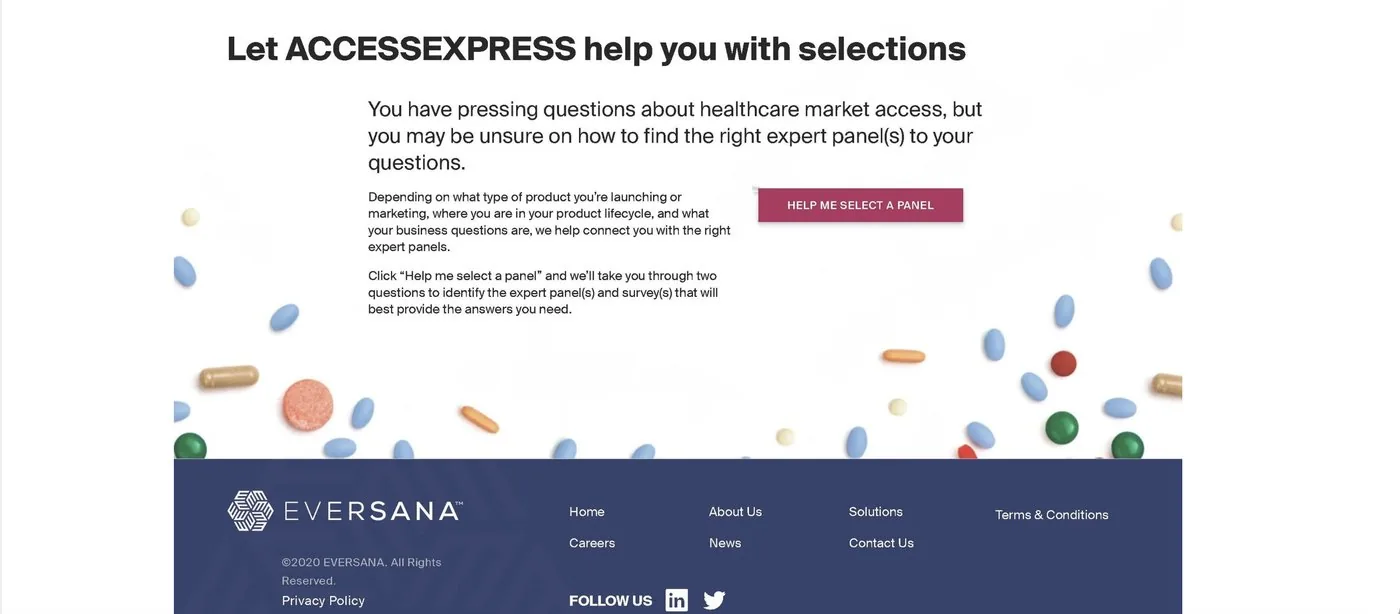
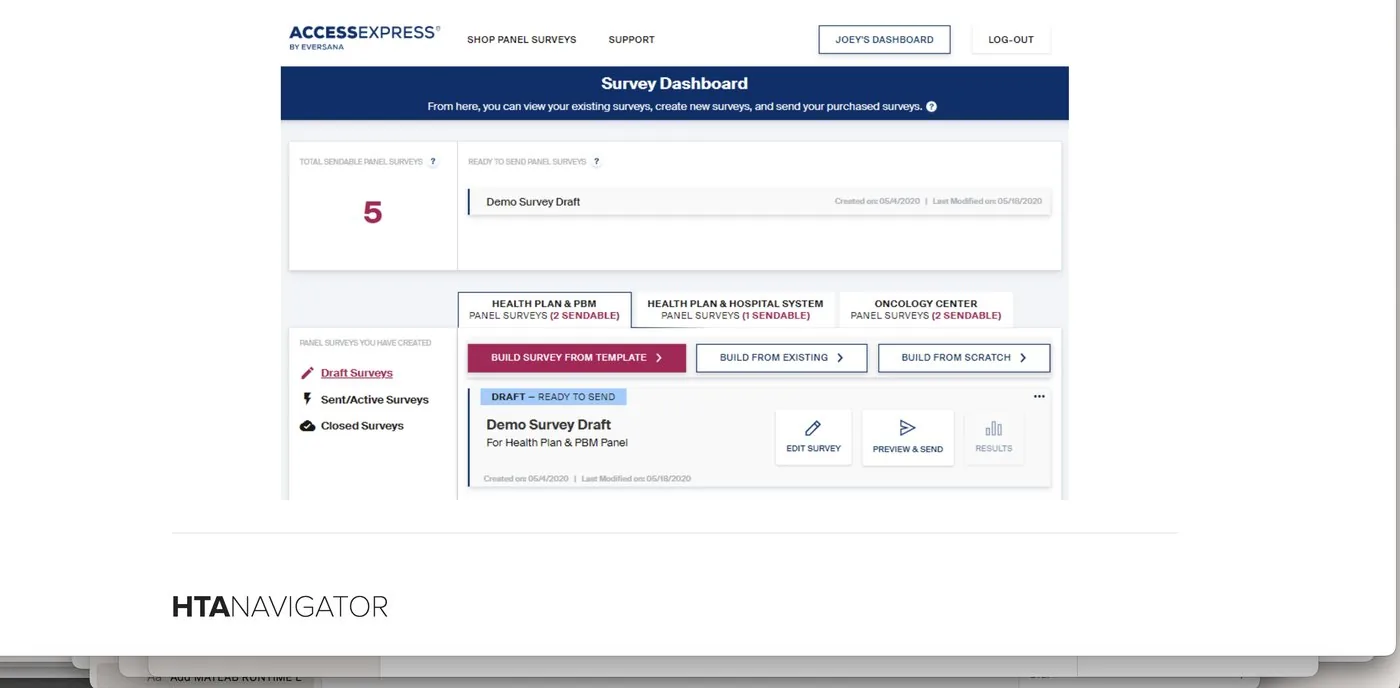
I designed the UI for AccessExpress: a mobile-friendly, self-service market research platform connecting market access teams to a curated panel of thousands of medical and pharmacy payer experts. Users pick a panel, build a survey from smart templates or from scratch, and get reimbursement and policy insights back in a live dashboard, often within hours. Throughout development I ran structured feedback sessions with Product Managers and Market Research Leads, using their input to shape the panel-selection flow and streamline the survey builder.
Interface
Outcome
Because Product Managers and Market Research Leads reviewed the flow throughout development, their input shaped panel selection and the survey builder before launch instead of after it.
INTELLICenter
EVERSANA · customer portalThe problem
Customers had no self-service way to see what they'd actually purchased. Understanding product access, tracking renewals, and finding newly released content all ran through manual, disconnected channels — which meant customers called their Subject Matter Experts directly to get answers a system should have been able to give them.
Translating constraints into a usable flow
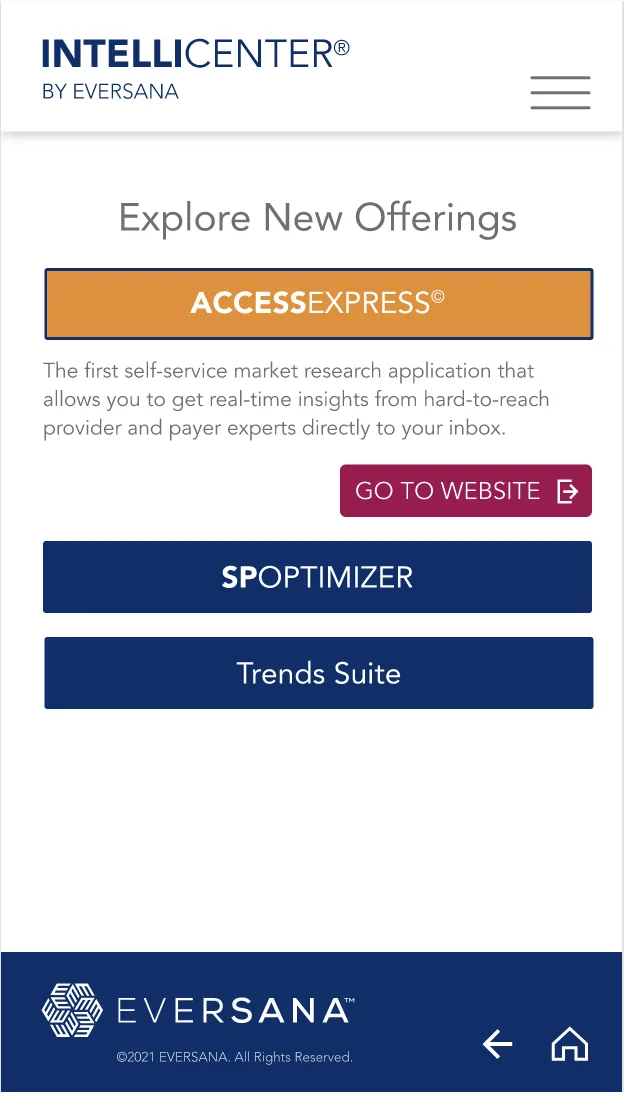
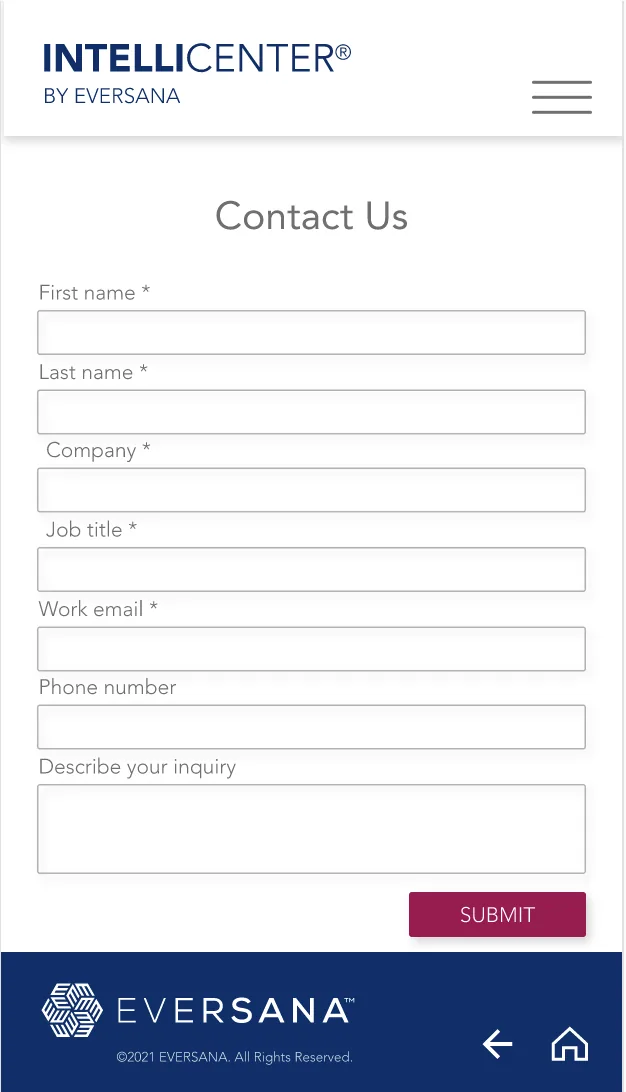
This project was led by stakeholders and systems constraints more than by research. My job was to take business requirements, IT constraints, and SME domain knowledge and shape them into something a customer could navigate without help. That meant working closely with the VP of UX & Design to define the flow, with IT to understand what the Salesforce integration could and couldn't support, and with SMEs to get the product taxonomy right.
The result needed to support live subscription data, automatic renewals, and additional purchases — all pulled from Salesforce in real time — alongside static and continuously-updated content depending on the product line.
What customers could do
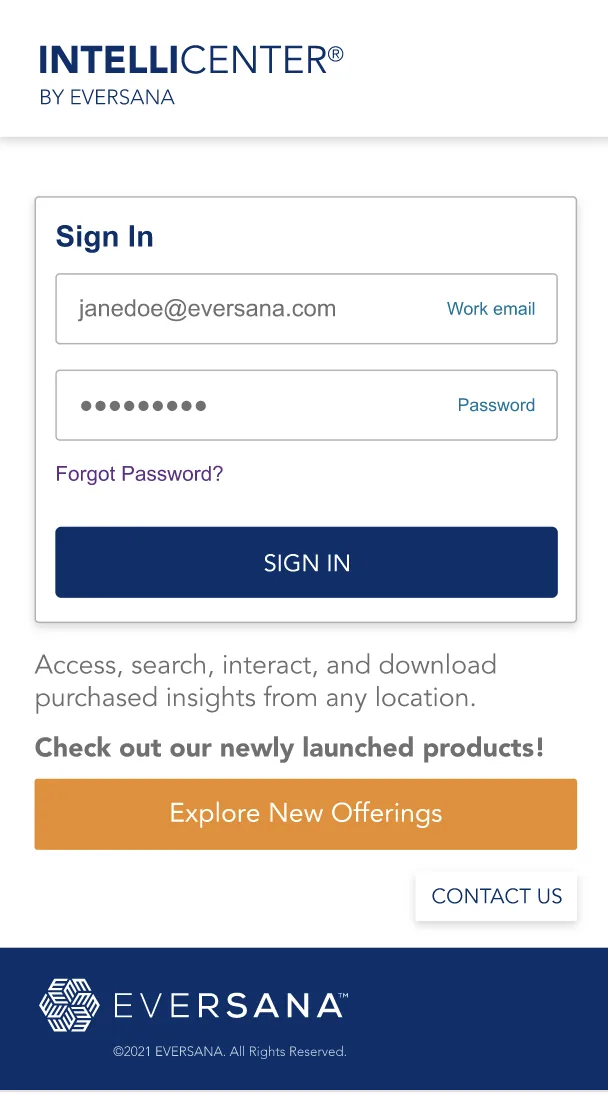
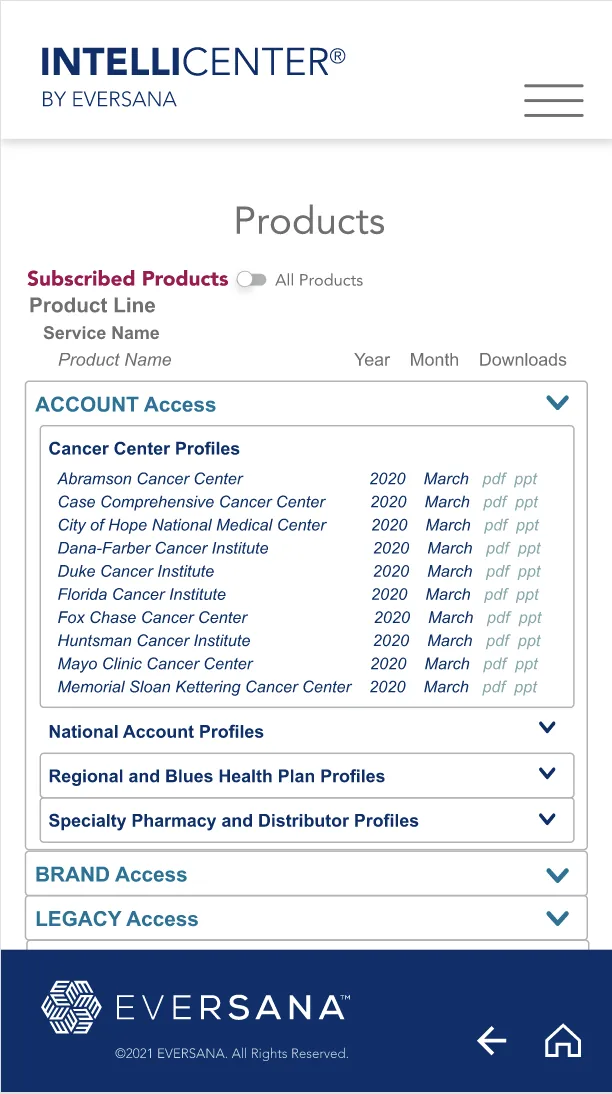
- Sign in and see the full depth of everything they'd purchased, organized by product line
- View, search, and download delivered items from any location
- Renew subscriptions and make additional purchases, synced automatically through Salesforce
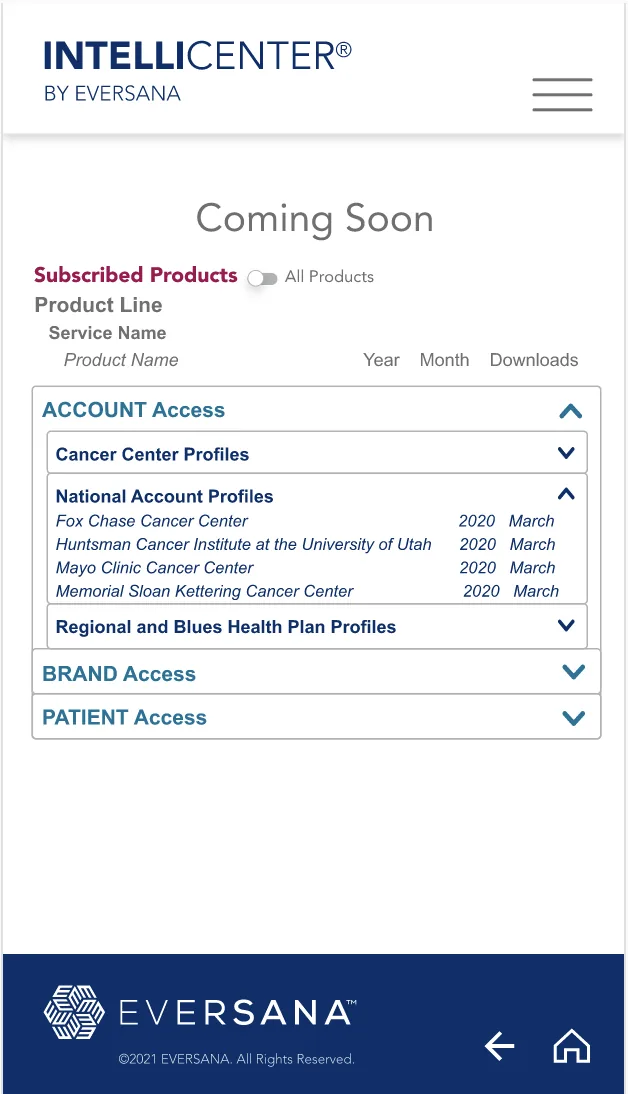
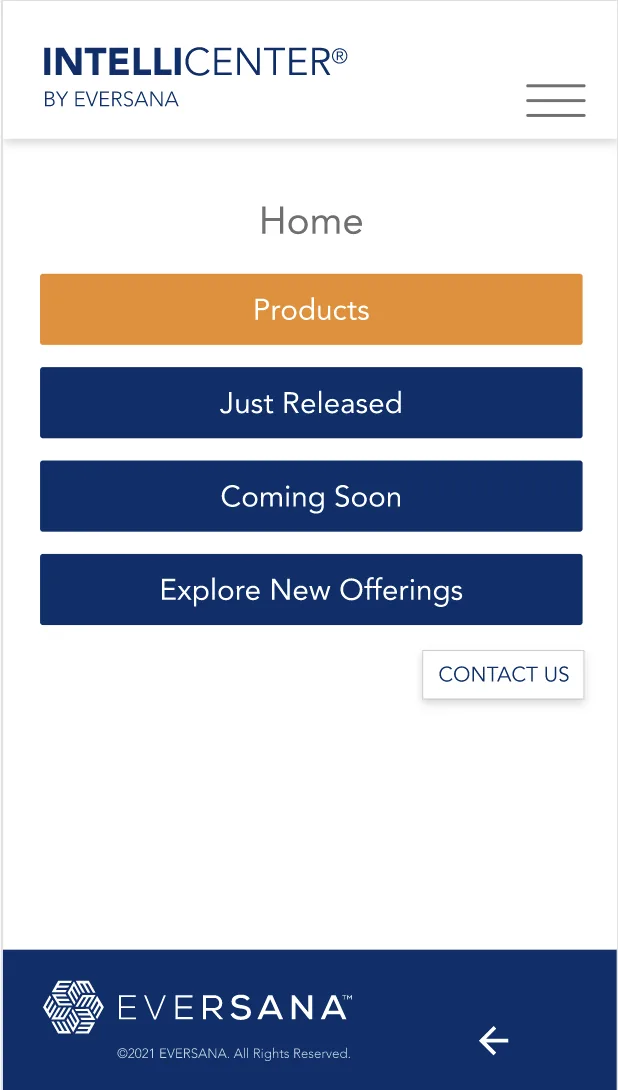
- Browse what was Just Released and what was Coming Soon
- Access always-current online portals for products with ongoing content updates
Interface
Outcome
For customers
A simplified billing and renewal process, with clear, always-current visibility into what they'd purchased and what was on the horizon.
For the business
Subject Matter Experts stopped fielding routine calls from customers asking what they already owned, which freed their time for higher-value work.
About
My background spans human factors testing, clinical trial design, and strict compliance (ADA/WCAG, IRB, MLR). I'm currently looking for remote product design roles where I can own research and testing directly with users, not just hand off to a separate research function.
I'm a Senior Product Designer with a track record delivering high-stakes military and commercial remote health monitoring platforms end-to-end, from early problem definition to shipped product. I design for clinicians and expert users in regulated environments — connecting complex clinical workflows, engineering constraints, and regulatory requirements while keeping the detail experts rely on.
- Healthcare & regulated environments — designing inside compliance and data-sensitivity constraints
- Systems thinking — translating backend and business constraints into usable flows
- End-to-end ownership — from flow to UI to stakeholder alignment
- User research — usability studies, field observation, and surveys I design and run myself
- GCP certified — Good Clinical Practice for Clinical Investigations of Devices
Tools
- Figma
- Sketch
- Adobe XD
- Adobe Creative Cloud
- Claude
- Claude Design
- Microsoft Copilot
- Phoenix Code
- Salesforce
- Tableau
- Veeva Vault PromoMats
- Atlassian (Jira/Confluence)